 Chitra Studio
Shot Set19 October 2026
How to get more camera angles of an AI image
One picture, re-shot from several angles. Comparing Qwen Multiple Angles and Nano Banana 2 Edit: which kept the product intact, and which changed it.
You have the perfect picture, and now you need it from the side, from behind, from above. Asking an image model for "the same thing from another angle" usually gets you something that is almost the same: a different face, a different pattern, a different room.
Shot Set re-shoots one picture from several camera angles at once and lays the results side by side. Here is how it did on a samurai and on a coffee tin, including where it went wrong.
Making a shot set
- Open the picture and choose Shot Set.
- Pick between two and eight angles: front, three-quarter, profile, back, low angle, high angle, close-up and wide.
- Choose the model. The shots arrive together on a contact sheet, each labelled with its angle.
One samurai, four angles
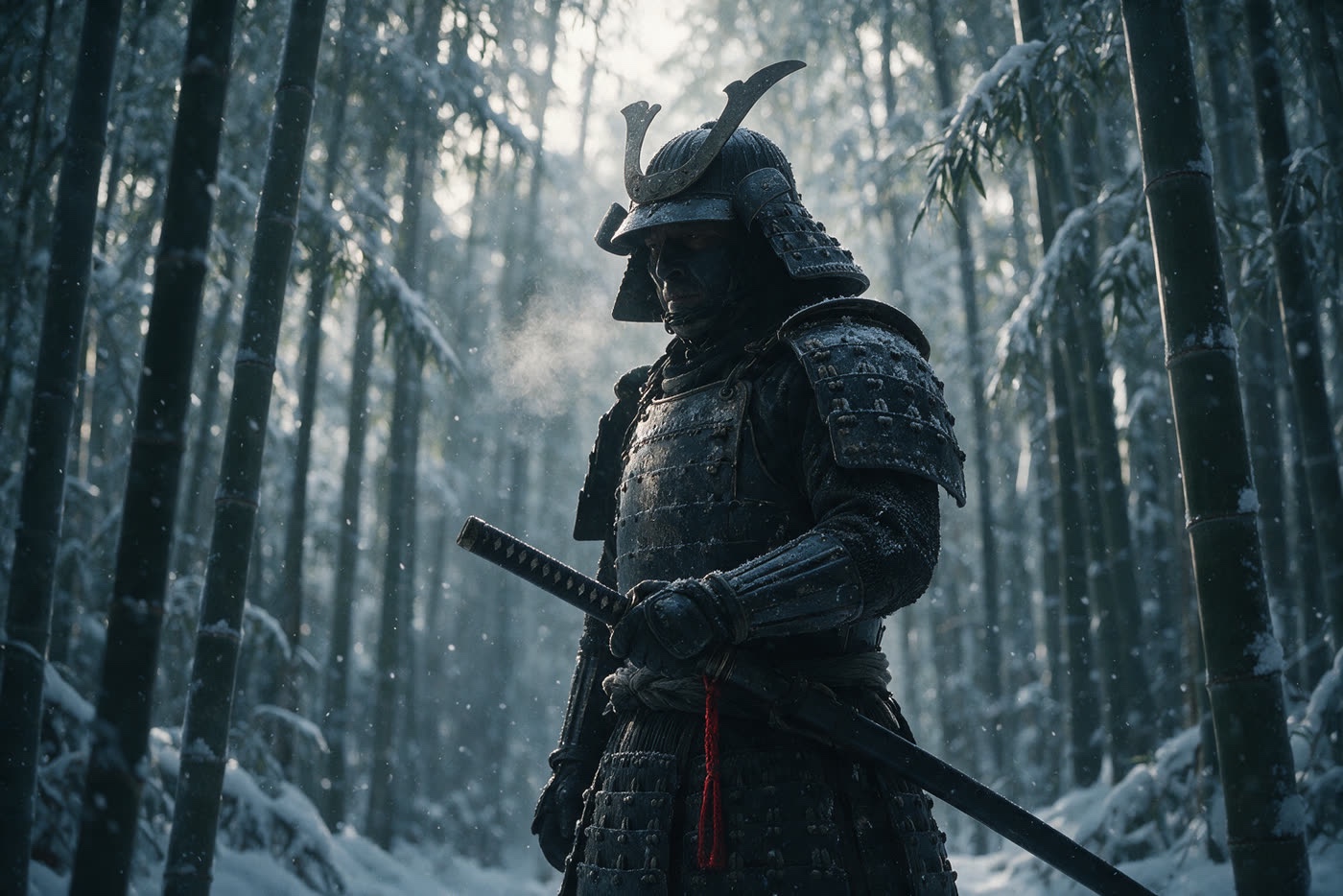
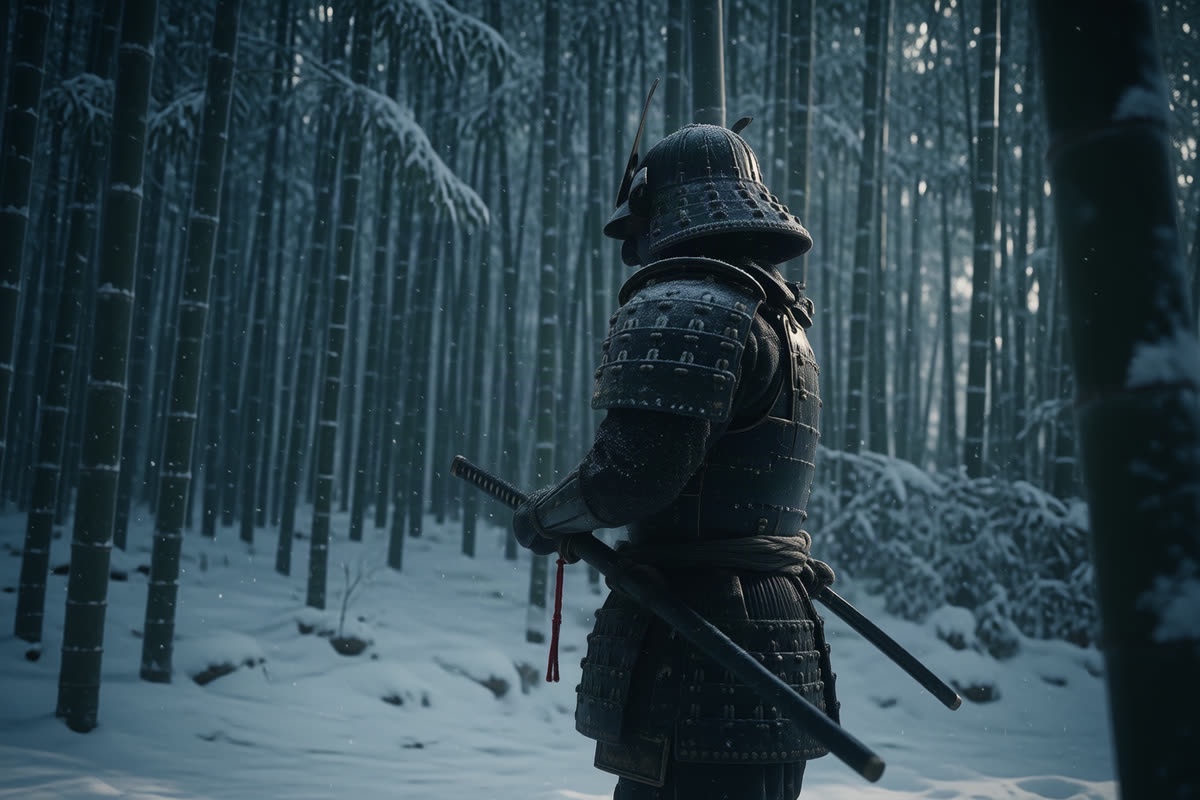
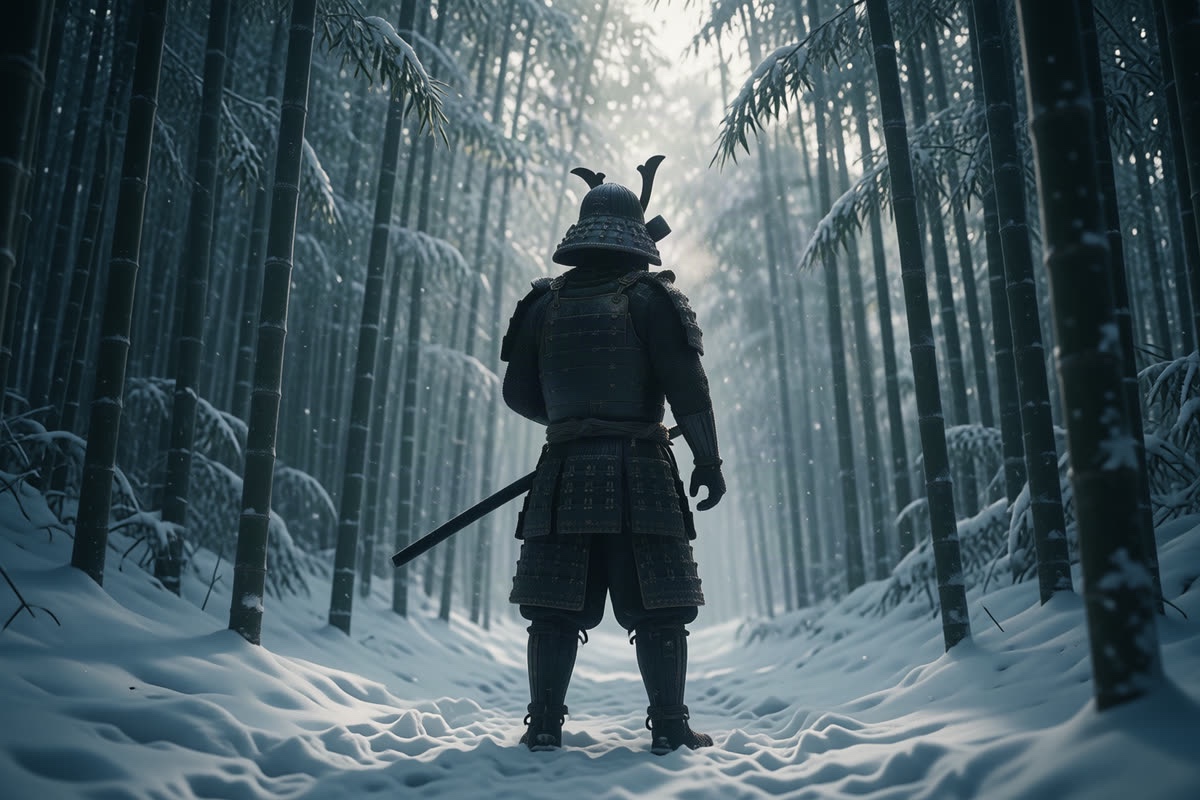
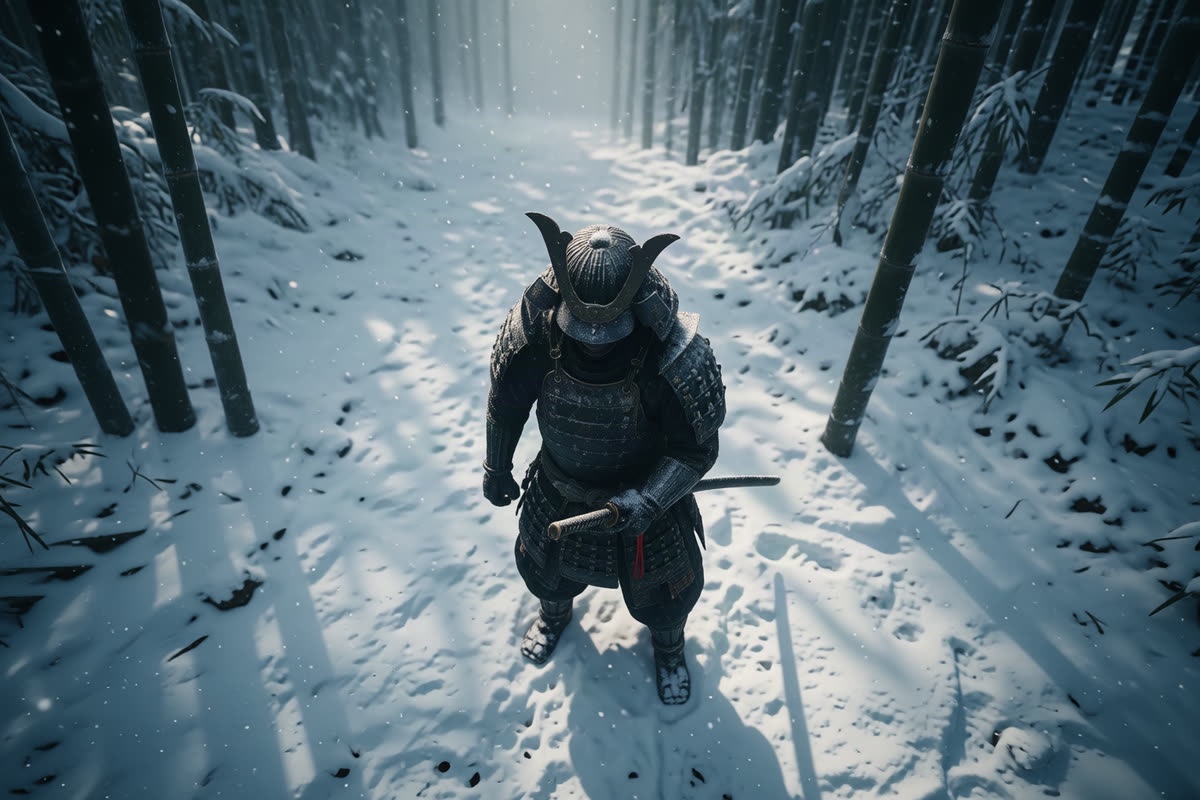
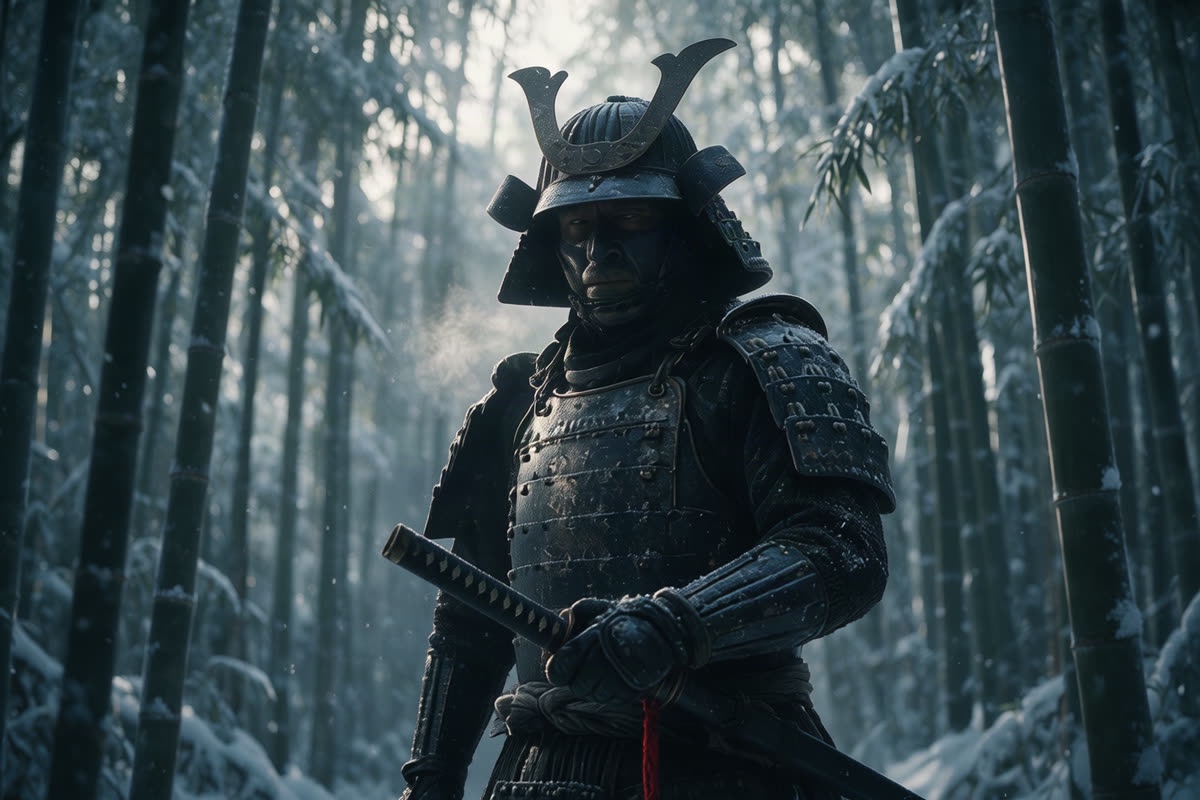
The armour, the helmet, the red cord and the grove carry through all four. The four shots cost 20 credits.
Two ways to move the camera
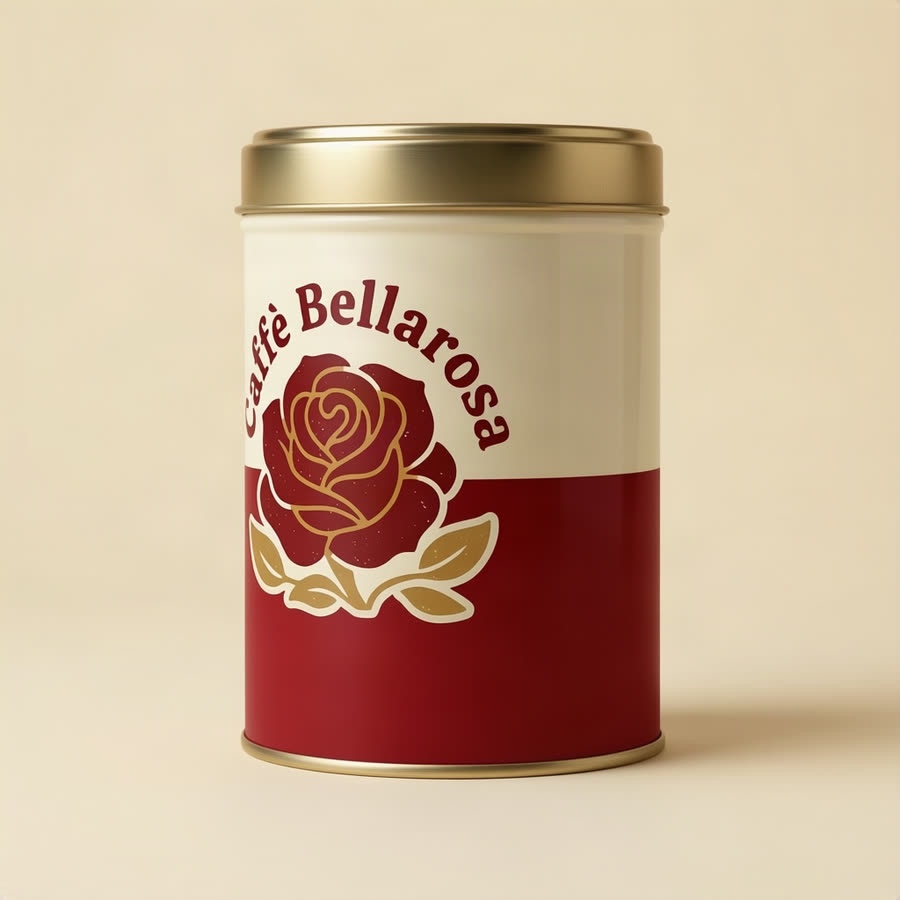
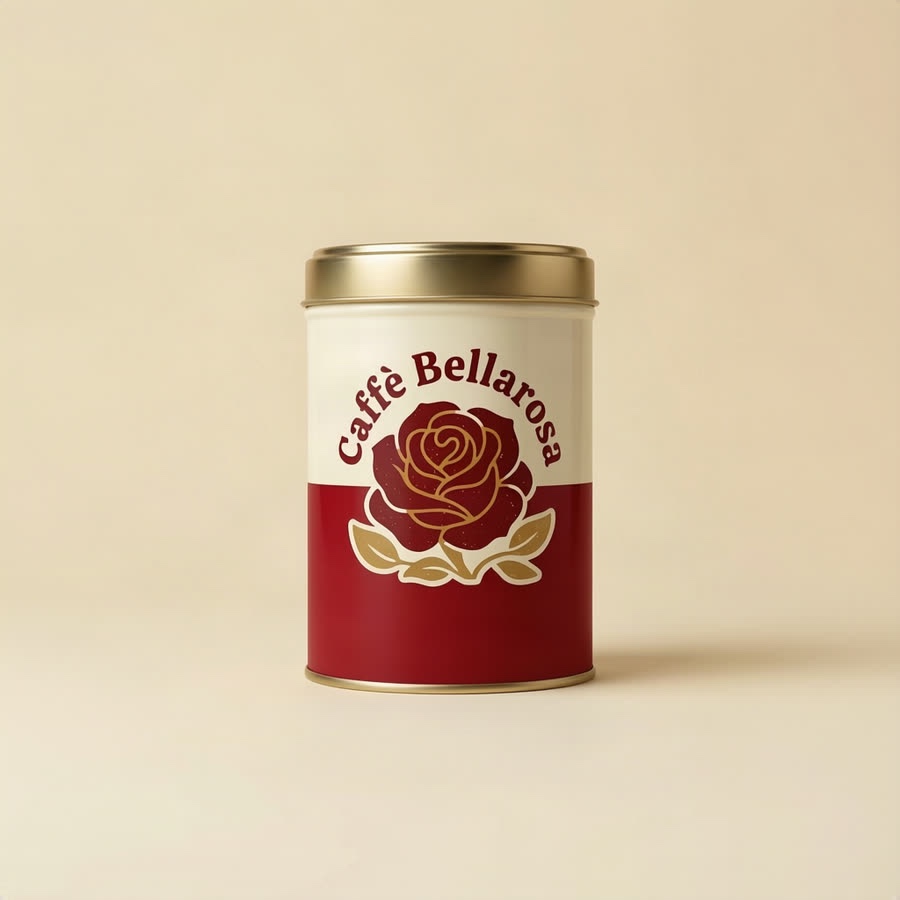
Shot Set can ask for a camera angle in words, as it does with Nano Banana 2 Edit, or send angle and distance settings to Qwen Multiple Angles: degrees round the subject, degrees up or down, and how close. I tried both on the same coffee tin. The first set produced bad product images; Qwen produced much better results. Here are the two sets, with the failures left in.

Set A · Angles described in words
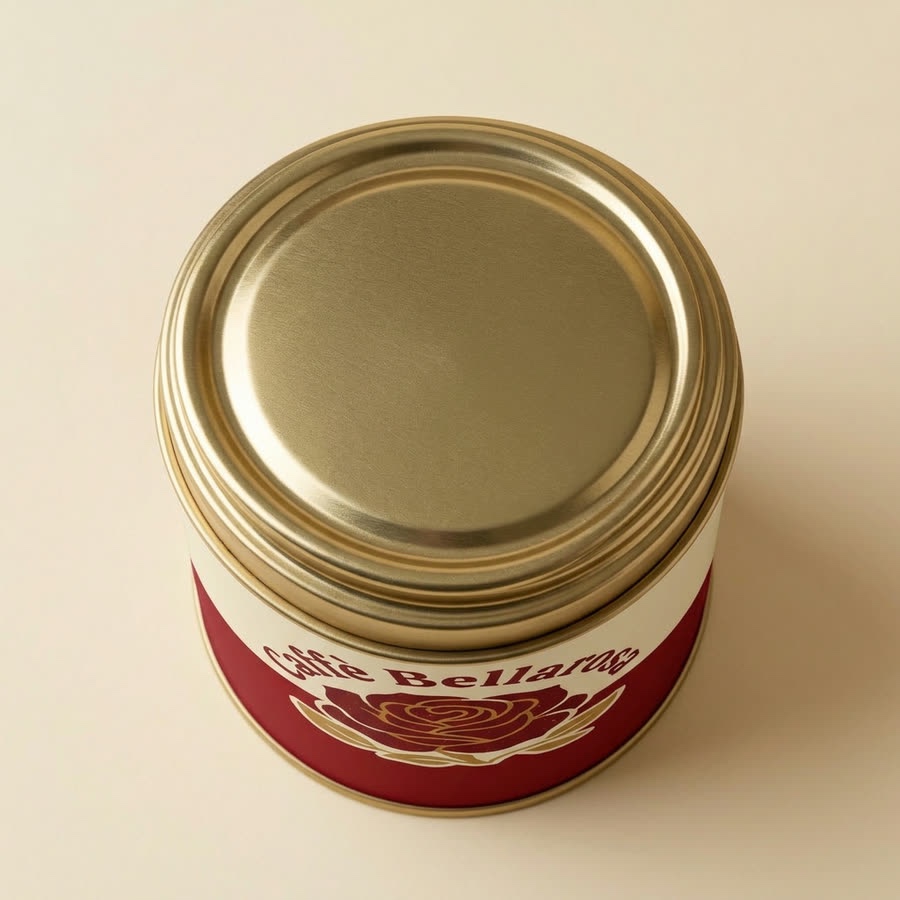
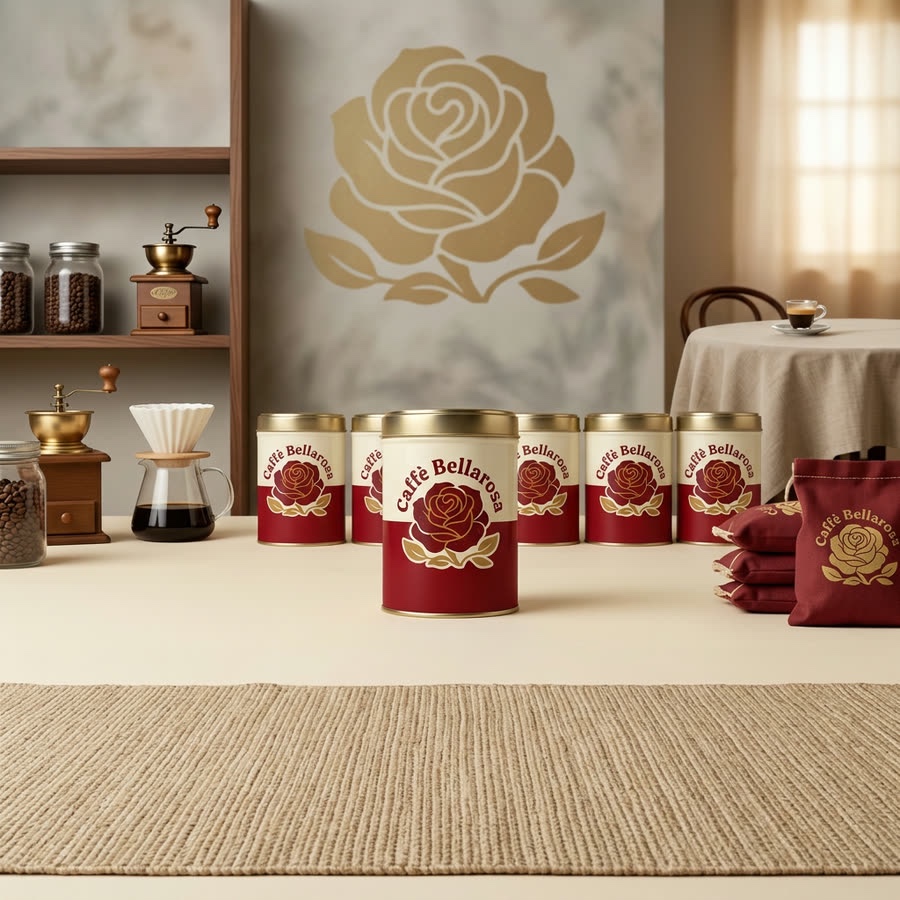
Nano Banana 2 Edit: the product changed
Verdict: this set failed as a faithful re-shoot. The high angle worked, but the three-quarter view duplicated the logo, the low angle tipped the tin over, and the wide shot invented a shop with extra tins. Those are changes to the product and scene, not just the camera.


Set B · Angles specified by numbers
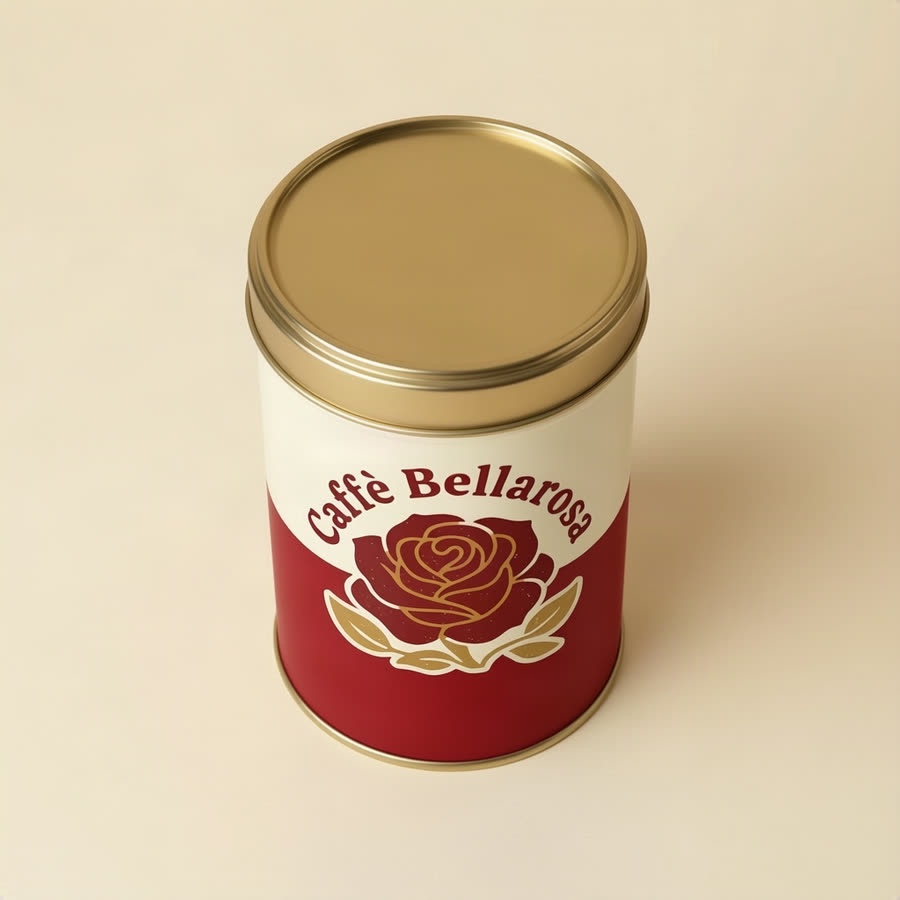
Qwen Multiple Angles: much better fidelity
Verdict: much better at keeping the same product in the same scene. Qwen kept one upright tin on the plain background, without duplicating the logo or inventing a shop. Its weakness was the amount of movement: the three-quarter view turned less than requested, and the low angle barely changed.

What I took from it
- For this tin, Qwen was the better choice. Its 5-credit shots preserved the product and plain setting much better than the 12-credit Nano Banana 2 Edit shots. That is the result of this comparison, not proof that numeric controls always beat words: these are different models as well as different ways of asking.
- Judge fidelity before drama. An attractive shop scene is still a failed wide angle if the source was one tin on a plain background. Check the number of objects, the logo, the shape and whether the subject stayed where it was before choosing a shot.
- Check that the camera actually moved. Qwen's restraint helped preserve the tin, but its low angle was barely different from the original. The floor below the tin probably limited how far the camera could move down while keeping the tin in place. That is a likely explanation, not something this run proves. A faithful image that misses the requested viewpoint may still need another attempt.
- A stronger prompt is a lesson, not a proven fix. After these failures, Shot Set's wording was revised to say that the scene stays exactly as it is, nothing is added, moved or multiplied, and only the camera moves. The Nano Banana images above are from the earlier wording. This article does not show a rerun with the revised prompt, so it does not establish that the failures are fixed.
Tips
- Start from a clean, well-lit picture. Everything the new angle shows is worked out from it.
- Check the details on turned objects. Labels and patterns are where a new angle most often goes wrong.
- Keep the good ones as references. A set of angles of the same product makes a strong reference for putting it in other scenes.
Re-shoot your own pictures
Chitra Studio is a Mac app for making and organising AI images, video and sound with more than 60 models. Every price is shown before you generate.
Download for Mac14-day free trial · 50 free credits · no card