 Chitra Studio
Recast People27 October 2026
Swap the person in any video, on a Mac
Keep the motion, the camera and the place; change who is in the shot. What it cost on a real clip, and how it compares with Genjutsu.
You have a clip you like: the camera, the place, the way the person moves. You want the same shot with someone else in it. That is video to video, and Recast People does it with a clip and a picture or two of the new person.
Here it is on a Bharatanatyam dancer in a temple hall, recast as an opera singer in a burgundy gown.
The clip, then the same clip with a new person
The hall, the lamps, the camera and the turn stay; the dancer is replaced by the woman in the gown. The new person is dancing the old person's movement, so the gown swings with a turn that a velvet dress would not make by itself.
The pictures of the new person
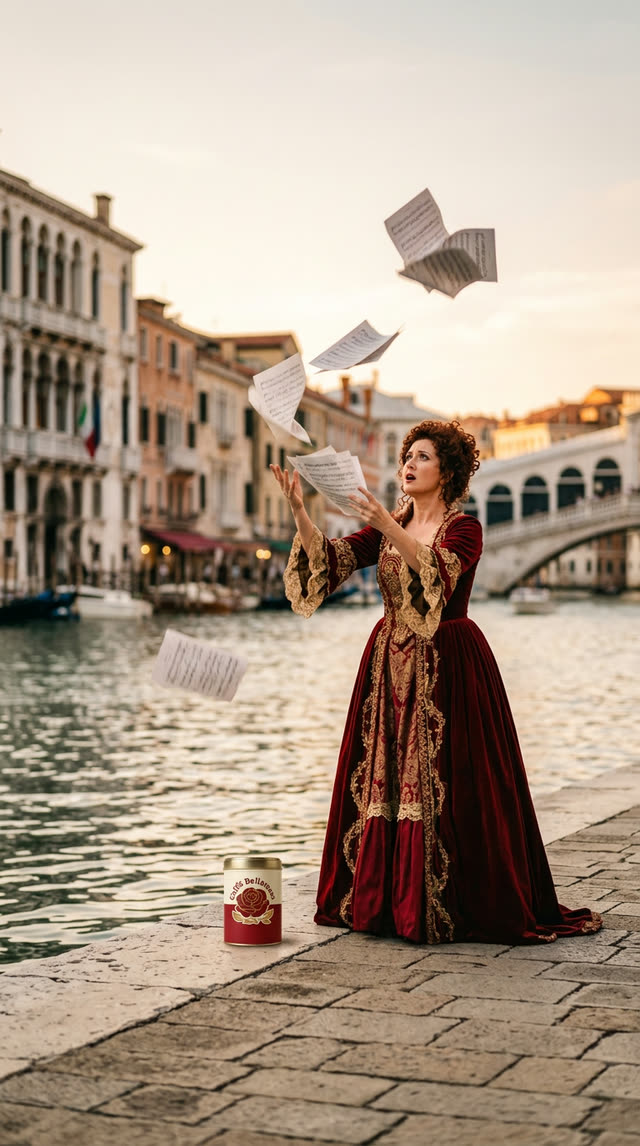
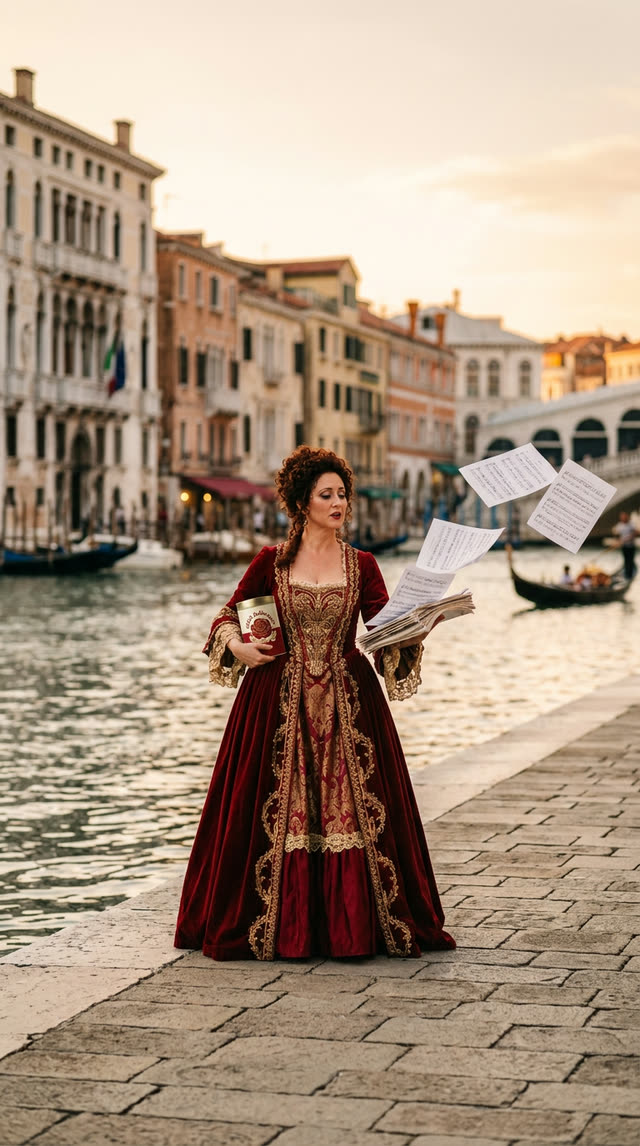
Two pictures of one woman, made earlier for a Venice project. The clip itself goes in first, then the pictures. Pictures that show the person's face and clothes clearly work best; more than one angle helps the model keep her the same.
How to do it
- Open the clip and choose Recast People….
- Drop in one to three pictures of the new person, or choose them from your library.
- Say in a few words who to use, as here: "use the female in the red gown".
- Choose 768p or 1080p. The price is shown before anything is sent. The window names the model it uses.
The clip can be 5 to 30 seconds long. Chitra sends it at a steady frame rate and full size, so the model gets the clip as you made it.
What it costs
This 5.2-second clip cost 217 credits at 768p, which is 42 credits for each second of the clip. At 1080p it is 63 credits a second. The price follows the length of the clip you choose, so a short clip costs a little and a 30-second one a lot; 768p is the default because it costs a third less and is usually enough to see whether the swap works before paying for the larger size.
How it compares with Genjutsu
Genjutsu is Higgsfield's video-to-video feature. We have not run it, so this is a comparison of what each is, not of how the results look.
- Price. Sume's report on its own copy of Genjutsu quotes Higgsfield's list price, as of 25 October 2026, at $0.318 per source second at 480p, $0.681 at 720p and $1.632 at 1080p. Recast People at 768p is $0.42 a second and at 1080p $0.63, in credits at one cent each. On those numbers the same five seconds is about $3.50 at 720p against $2.17 here.
- What you control. Recast People does one thing, replace the person, from pictures you choose. Genjutsu lists three jobs (motion transfer, object swap and restyle).
- The app. Recast works on any clip in your library and the result lands beside it, with the cost recorded, on your Mac.
The honest test is the same clip and the same person through both. If you have run one, we would like to see it.
Where it can go wrong
- Keep the pictures clear. A face in shadow or a costume seen only from far away gives the model less to hold on to.
- Moves a gown has to make. The gown here swings as the dancer's costume would; a very different outfit can look stiff on the original movement.
- A face turned away. In this shot the dancer turns her back, so it does not show whether the new face holds from the front. Try a clip where the face is seen.
- Several people. Say which one to replace.
Recast your own clips
Chitra Studio is a Mac app for making and organising AI images, video and sound with more than 60 models. Every price is shown before you generate.
Download for Mac14-day free trial · 50 free credits · no card