 Chitra Studio
Split into Parts18 October 2026
Separating vocals, instruments and noise with AI
Split into Parts, Pull Out a Sound and Clean Up: one song in six parts, a dog pulled out of a street, and a voice-over cleaned.
An audio clip can have many layers. Often you want only part of it: the vocals without the band, the band without the vocals, a dog bark without the street, a voice without the room.
Separation models pull a recording apart. Here are three ways to do it, on real sounds from my projects, with what each cost.
Split a song into its instruments
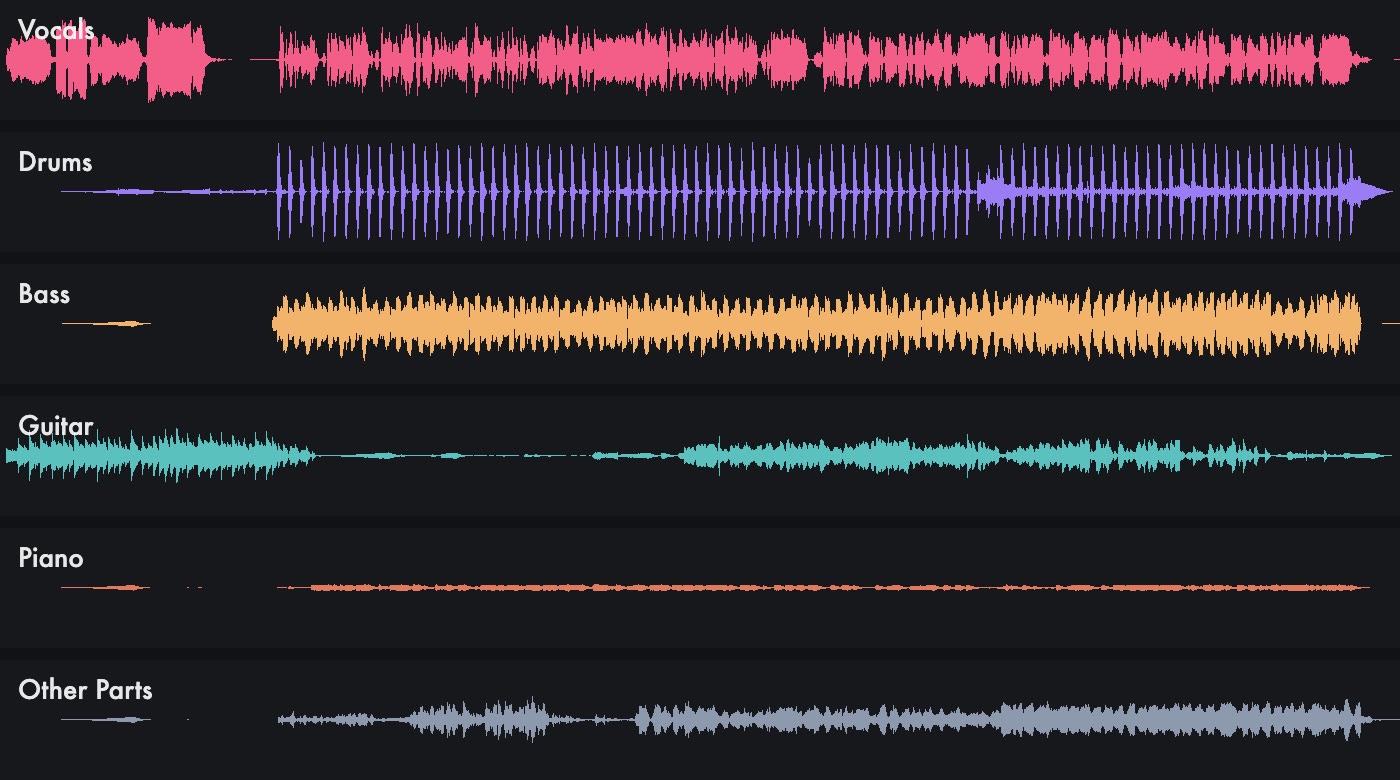
This one-minute song came from ElevenLabs Music v2.5. Split into Parts turned it into six sounds: vocals, drums, bass, guitar, piano and everything else. The whole split cost 1 credit.
The song
ElevenLabs Music v2.5 · 1:00
Vocals
Split into Parts · Demucs
Drums
Split into Parts · Demucs
Bass
Split into Parts · Demucs
Guitar
Split into Parts · Demucs
Piano
Split into Parts · Demucs
Other Parts
Split into Parts · Demucs
Each part lands in your library as its own sound, so you can lay the instrumental under a clip, or use the vocals alone.
Pull out a sound by describing it
Some recordings are not music. Here, Pull Out a Sound was told what to find, "dog barking", and gave back two sounds: the dog, and everything else. 3.5 credits for fifteen seconds.
The recording
15 s · a dog on a busy street at night
Dog barking
Pull Out a Sound · what I asked for
Everything else
Pull Out a Sound · the street without the dog
Clean up a voice-over
Clean Up is for speech: it takes out background noise and room echo, and evens the level. This 38-second voice-over cost 2 credits.
Before
38 s · recorded with noise
After Clean Up
VEED Clean Up Speech · 2 credits
Tips
- Use Split into Parts for music, Clean Up for speech. Clean Up on a song keeps only the voice; Chitra Studio suggests Split into Parts instead when it can tell a sound is music.
- Name the sound you want plainly. "dog barking" was enough to find it.
- Keep everything. Each part is a new sound beside the original, which stays as it was.
Take your own sounds apart
Chitra Studio is a Mac app for making and organising AI images, video and sound with more than 60 models. Every price is shown before you generate.
Download for Mac14-day free trial · 50 free credits · no card