 Chitra Studio
Cut Out and Upscale20 October 2026
Cutting out and upscaling AI images
Remove the background, keep only what you describe, and double the size. Real pictures, with prices.
Two jobs come up after almost every AI image: taking the subject off its background, and making the picture big enough to print or crop. Both used to mean another app. Here is how each looks on real pictures, and what each cost.
Cut Out
Cut Out lifts a subject off its background, either automatically or by describing what to keep. On this fashion portrait I did both.
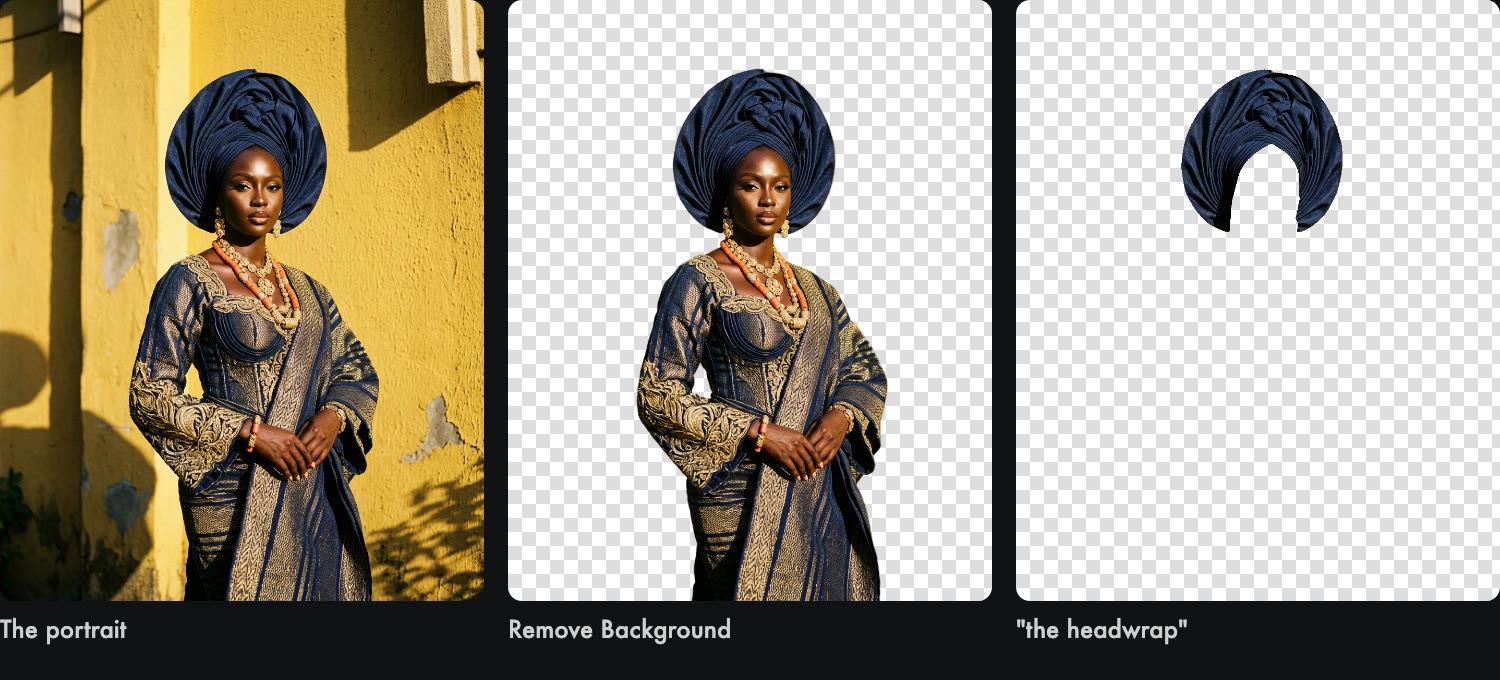
The result is a picture with a transparent background, ready to drop onto another one or into a layout.
Upscale
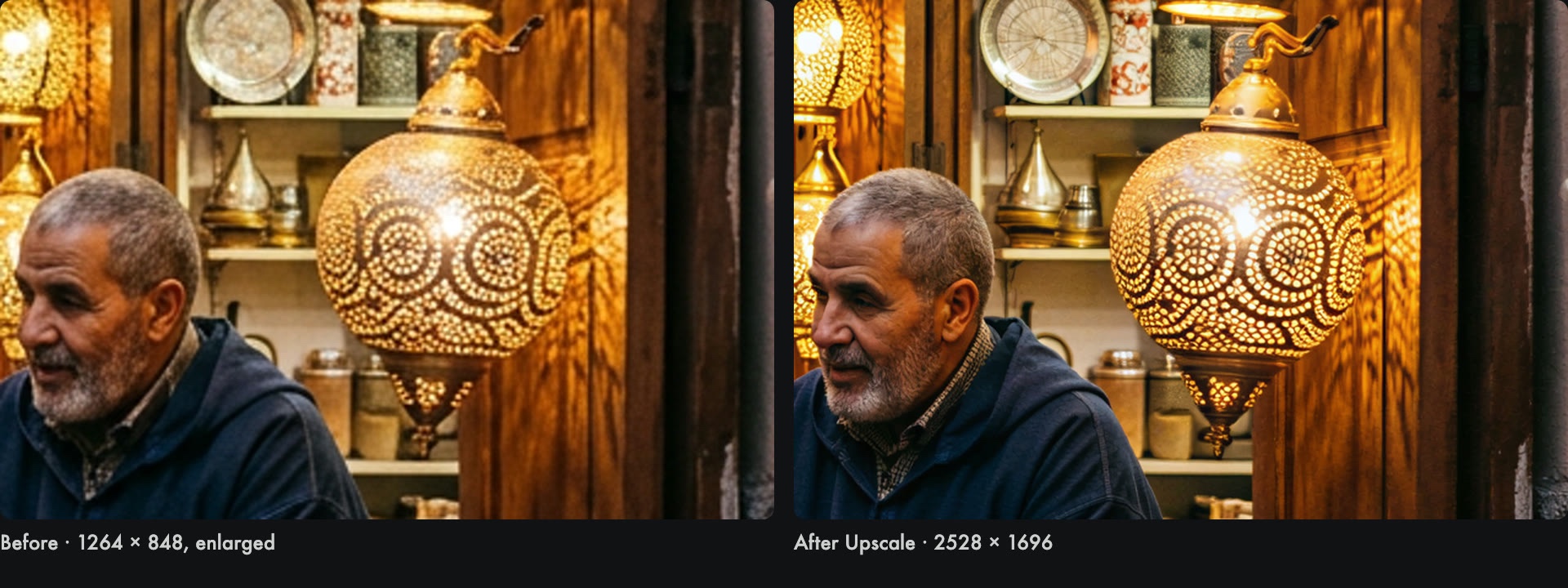
Upscale doubles a picture's size and adds detail where enlarging alone would only blur. This spice stall went from 1264 × 848 to 2528 × 1696 in 17 seconds, for 1 credit.
Tips
- Describe what to keep when there is more than one subject. "the headwrap" took only that; the automatic cut out keeps the whole figure.
- Upscale last. Edit and cut out at the original size, then upscale the one you will use.
- Nothing is overwritten. The cut-out and the upscaled picture are new files beside the original, linked to it.
Finish your own pictures
Chitra Studio is a Mac app for making and organising AI images, video and sound with more than 60 models. Every price is shown before you generate.
Download for Mac14-day free trial · 50 free credits · no card